


Categories
- Productivity
- Collaboration
Publisher
- Dialpad
Products
 Dialpad Connect
 Dialpad Support
Helpful Links
WysywigTabs
Integrate Microsoft 365 and Dialpad to get the information you need to work more efficiently from your contacts, emails, and events, directly in your business phone system. Now you can skip the excessive clicking, toggling, and juggling while you’re on calls and have all the information you need right in front of you.
Key Features:
User Provisioning & SSO
Automatically provision (or de-provision) Microsoft users with Dialpad licenses
Authenticate user sign-in requests via SAML and allow users to login with SSO credentials
Contact Profiles
Connect your Microsoft email, docs, and calendar to Dialpad to automatically display shared emails, documents, and events with contacts within the Dialpad contact sidebar (available on desktop and mobile apps)
Directory Syncing
Sync your Microsoft directory to Dialpad to select which users you want to invite into Dialpad
Sync directory contacts into Dialpad (and vice versa) so contacts are up to date with name, email, or phone number changes
Calendar Presence
Connect your Microsoft calendar with Dialpad and Dialpad will automatically adjust your presence icon to reflect when you’re currently in a meeting
System Requirements:
Microsoft 365 integration is available on every Dialpad plan type including AI Messaging, Sell, and Dialpad Support.
Dialpad will require access to shared calendar events, documents, and emails as well as your Microsoft directory to enable the full functionality of this integration.
To learn more about those permissions, please visit our help center.
How Dialpad Integrates with this App:
The Microsoft 365 integration is available as a CTI and on the Dialpad sidebar
Automatic Contact Syncing
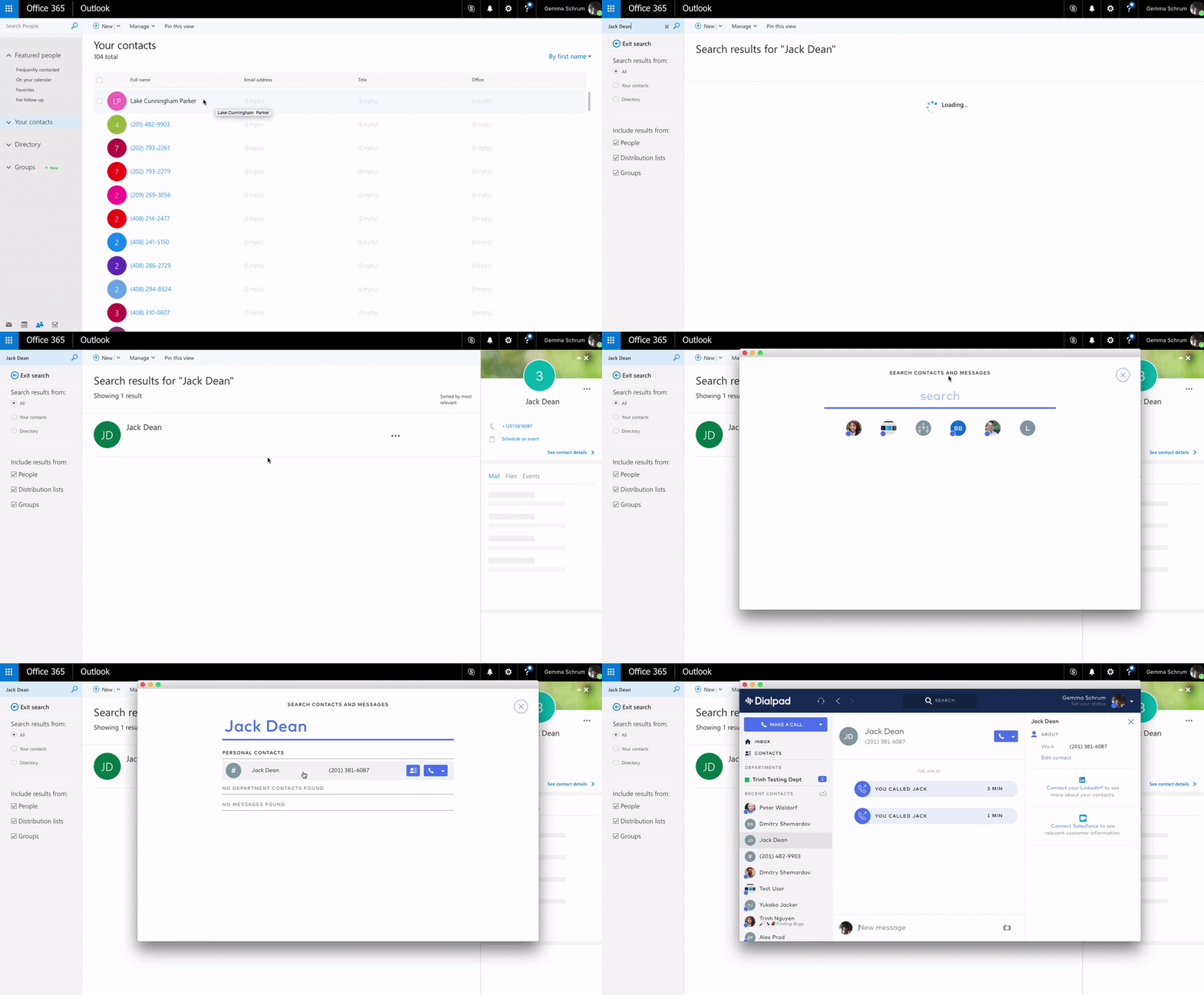
After you log in and grant Dialpad access to your Microsoft contacts(you'll see the prompt in your contact's sidebar), your Outlook contacts will automatically start syncing with Dialpad.
That means that contacts created in Outlook are searchable and editable in Dialpad (and vice versa).
Shared Events
In order to see shared events, there needs to be an email address on file for your contact.
If you and your contact have any shared events, they'll be listed here. In addition, each event will display the event name, date, and time.
Click View Calendar to launch your calendar in a new window.

Shared Emails
In order to see shared emails, there needs to be an email address on file for your contact.
If you and your contact have any shared emails, they'll be listed here. Each email will display the subject line and date. Click on View All to launch your emails in a new window.
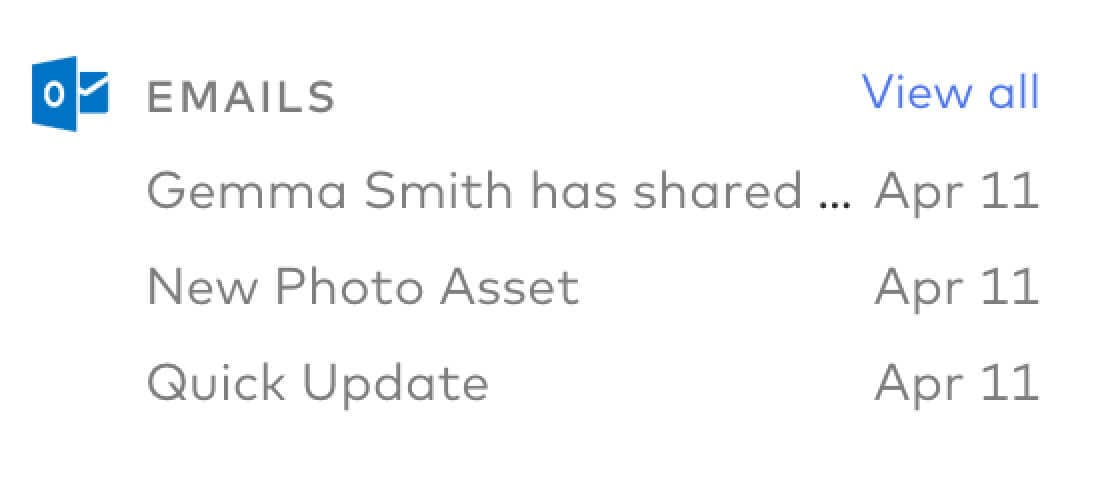
Emails are retroactive (so you'll see emails from before you had signed up for Dialpad).
Shared Docs
In order to see shared docs, there needs to be an email address on file for your contact.
If you and your Dialpad contact have shared any documents, they'll be listed here. We display the three most recent files including the title and date of upload (Microsoft 365).

Docs are retroactive (so you'll see docs from before you had signed up for Dialpad).
Keep in mind that 'shared' can mean either shared by you or shared with you. Click on View All to launch your shared documents in another window.
Calendar Presence
Connect your Microsoft 365 calendar to Dialpad and set it to "public" (within your organization) to have your presence reflect in Dialpad each time you're in a meeting.